Anúncios
The last time you adjusted the thermostat or checked your doorbell from your phone, you saw the internet of things in action. Seemingly invisible yet deeply woven into modern routines, these smart devices make daily habits faster and more tailored—without extra hassle.
People crave convenience, and the internet of things creates it by linking gadgets in simple, helpful ways. From refrigerators that re-order groceries to watches tracking sleep, these connections improve comfort, efficiency, and even health. It’s a subtle but sweeping change in how we interact with our environment.
Get ready to peek behind the curtain and see exactly how the internet of things makes life run more smoothly. We’ll break down what these devices do, how they talk to each other, and the best ways you can tap into their power—right at home.
Smart Devices: Everyday Tools That Do More
Understanding what qualifies as a smart device lets you spot opportunities to make daily life easier. Today, any household gadget with sensors, connectivity, and the ability to exchange data qualifies as part of the internet of things.
Many people don’t realize their smartwatch sharing fitness stats, their fridge suggesting recipes, or even their voice assistant queuing up music are all powered by this IoT web. These tools go beyond basic functions—they learn your patterns and proactively offer value.
Types of Smart Devices You’ll Encounter
Digital assistants like Alexa or Google Home connect to your home network and listen for voice commands. Their job: manage reminders, play music, or control lighting based on your requests.
Wearable devices, including popular fitness trackers, collect data as you move throughout your day. These gadgets sync with your phone for insights into your health or activity levels—showcasing just one example of the internet of things at work.
Connected appliances aren’t limited to kitchens. Think washers, dryers, and vacuum robots. They use sensors to optimize their energy use, save you time, and alert you when cycles finish, making chores far less disruptive.
Expanding Into Personal Security
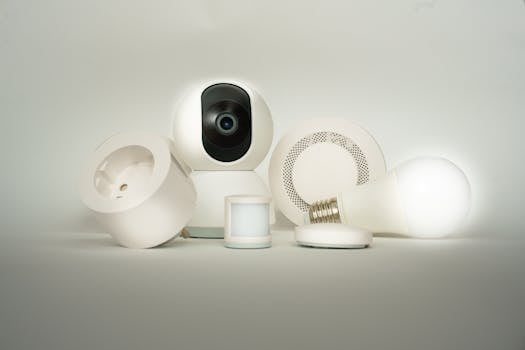
Security cameras and smart locks are increasingly integrated, letting you check your property remotely and get instant alerts if something’s amiss. Installing these gadgets provides peace of mind and tangible control over your environment.
Garage doors, window sensors, and alarm systems can now all unite under one app, allowing for real-time monitoring and quick responses from anywhere—demonstrating the practical strengths of the internet of things.
Networks and Protocols: Behind-the-Scenes Connectors
To reliably communicate, smart devices need robust and compatible networks. Selecting the right protocol ensures devices can talk seamlessly, handle updates, and recover from signal interruptions. This choice shapes stability and performance in your connected home.
Wi-Fi remains ubiquitous in urban homes, but other standards like Zigbee, Z-Wave, Bluetooth, and Thread fill essential roles. The internet of things wouldn’t exist without these technologies, which bridge everything from thermostats to garage sensors to centralized hubs.
Wi-Fi and Mesh Networks: Making Connections Stronger
Wi-Fi delivers broad coverage for most smart gadgets, especially those streaming video or audio. However, coverage dead spots can disrupt performance. Upgrading to a mesh network ensures signals reach every device, creating smoother experiences throughout your home.
Mesh systems allow devices to relay data between nodes, so if something blocks the signal, information simply reroutes. This self-healing layout exemplifies why the internet of things performs reliably in even sprawling houses or complex layouts.
- Install mesh routers to cover problem areas—avoid frustration from dropped connections and missed alerts by optimizing device placements.
- Use monitoring dashboards included with mesh hubs—this shows which devices struggle with connectivity and guides placement tweaks.
Choosing the Right Protocols for Your Needs
Zigbee and Z-Wave are two of the most popular protocols for smart homes, known for low power use and strong reliability over short to medium ranges. This is especially useful for battery-powered security sensors or switches.
Bluetooth emerges as the top choice for wearable devices. It’s energy efficient and built into nearly all phones and tablets. However, it trades range for battery life, so best for devices worn or carried with you.
What Drives Smart Device Intelligence
Smart devices become truly useful when they sense, analyze, and respond automatically. This intelligence hinges on a combination of sensors, software, and connection to the cloud—each playing a distinct role in the internet of things.
Understanding these building blocks sets expectations and helps you troubleshoot issues. You’ll also see why integrating devices from shared ecosystems—or those with open APIs—vastly increases functionality and futureproofs your setup.
Sensors: Gathering Real-World Data
Temperature, humidity, motion, light levels, and even air quality—these sensors help gadgets understand their environment in real time. Placement plays a vital role; for example, place window sensors on frames, not sills, to catch actual opening events.
Proper calibration is essential for accuracy. If your thermostat reports the wrong temperature, nearby heat sources or missed firmware updates might be to blame. Check for obstructions and ensure software is current to maintain device accuracy.
Battery status counts as well. Many smart sensors are battery-powered for flexible placement. If you notice a device going offline, swap batteries or recharge promptly. Reliable sensor data fuels the entire internet of things ecosystem in your home.
Software Platforms: The Brains Behind Automation
Software platforms interpret sensor data and trigger actions. Platforms like Home Assistant, SmartThings, or Apple HomeKit let you design automations—“Turn on lights at sunset,” or “Lock the door automatically after 9 PM.”
Explore pre-built routines to reduce setup time, but don’t hesitate to customize. Adding a delay, adjusting for weekdays, or incorporating geolocation ensures automations align with your actual routine, not just one-size-fits-all templates.
Cloud Connections: Extending Device Reach
Devices linked to the cloud sync data, enable remote access, and support more sophisticated analytics than local hubs alone. Your smart scale uploads data to an app, letting you check health trends from anywhere—this is the internet of things in action.
Cloud-based automations allow for smarter responses. For example, when your security cameras detect motion, they can email you, store video offsite, and even communicate with other smart gadgets—instantly and remotely.
| Component | Role | Takeaway |
|---|---|---|
| Sensor | Monitors changes in environment | Check placement and battery to maintain accuracy |
| Software | Processes data and triggers actions | Customize automations for daily patterns |
| Cloud | Stores, shares, and analyzes data remotely | Turn on notifications for peace of mind anywhere |
Managing Privacy and Security in Connected Homes
Your connected devices hold personal information—location, routines, even health stats. Actively managing privacy and security isn’t just a recommendation; it’s a necessity for anyone using the internet of things every day.
Strong passwords, regular updates, and network segmentation are basic steps. Upcoming legal requirements around consent and data portability highlight the need to start building good habits now so you stay in control as your home gets smarter.
Staying Ahead of Security Threats
Use unique passwords for each device—never reuse your Wi-Fi or email password. If available, enable two-factor authentication (2FA). This pairs something you know (password) with something you have (phone), reducing unauthorized access risks.
Update firmware as soon as you get alerts. Manufacturers push patches for new vulnerabilities, and delaying updates can leave devices exposed. Set reminders to check for updates at least once per month, especially for cameras and locks.
- Segment IoT devices on a guest network—limits damage if a device is compromised and keeps home computers safe.
- Disable unused features—turn off remote access or voice assistants on devices you don’t use regularly.
Controlling Data Sharing With Manufacturers
Read privacy settings after device setup. Many apps let you adjust what data is shared with manufacturers or third parties. Opt for the least data sharing necessary for your preferred features.
Scrutinize prompts about diagnostics or analytics. Don’t just tap “Agree”—think about how your data will be used or stored. This hands-on approach to privacy fits perfectly within the internet of things ethos of informed, empowered device use.
Connecting Different Brands: Making Devices Play Nice
Integrating smart products from multiple brands can be tricky, but users benefit from customized experiences. Cross-compatibility increases flexibility and futureproofs your setup as the internet of things grows.
Major moves like Matter, a new universal standard, promise much simpler integrations. For now, central apps, open APIs, and hubs let you bridge ecosystems to unlock more value from your mix of smart gadgets.
Using a Universal Hub or Controller
Hubs act as translators between devices using different standards. With a hub, users can control Philips bulbs, Yale locks, and Samsung speakers together—even if they didn’t come from the same company. Popular choices include SmartThings, Home Assistant, and others.
Centralizing control isn’t just about convenience. It also lets you automate more complex routines (for example, turning lights on when a garage door opens regardless of who made each device), making the internet of things seamless at scale.
Exploring Open APIs for Custom Integrations
Open APIs offer tinkerers a way to add devices manufacturers didn’t officially support—handy for advanced users or people with older gadgets. Scripts or integrations can connect legacy appliances to new apps, extending device lifespan and feature sets.
Take advantage of large user communities sharing open-source code and troubleshooting advice. Search for your device model alongside “API” or “integration” to find step-by-step guides and build connections others rely on.
Practical Tips for Building a Reliable Smart Home Setup
Careful planning and setup steps today save headaches in the long run. Users who take time to label devices, test placement, and build routines based on actual habits see better results—and fewer frustrations—from the internet of things.
Start with one or two high-priority goals, like security or comfort, and expand slowly. This approach lets you adapt as needs change, ensuring your connected tech remains helpful rather than overwhelming.
Label and Group Devices From Day One
Giving each device a clear name (“Office Thermostat” or “Front Porch Light”) helps keep automations organized and troubleshooting quick. Group gadgets by room or function in your app for easy management.
For shared households, communicate labels with everyone using the system. This reduces confusion—if you say “Alexa, turn off the kitchen lights,” everyone knows what will happen, and you avoid accidental triggers.
Test Automation Scripts Before Relying on Them
Run through each automation manually the first few times. Watch for unexpected results or gaps (such as a forgotten lamp remaining on). Adjust timing, device order, or conditions based on feedback to align routines with real habits.
For reliability, update scripts when routines or occupancy patterns change—like when school ends or new people move in. The internet of things shines when it fits your lifestyle, not the other way around.
Optimize Wireless Coverage and Power Sources
Move wireless devices to spots with direct line of sight to hubs. Thick walls, mirrors, and appliances can block signals. Use plug-in smart plugs or light switches where possible for uninterrupted power and connectivity.
Keep batteries on hand for sensors, and establish a charging station for regular check-ins (such as Sunday evening, before bedtime). Consistency keeps your connected home running smoothly and prevents unwanted surprises.
Emerging Frontiers: Beyond the Smart Home
While home gadgets are well-known, the internet of things now transforms transportation, urban safety, healthcare, and entire industries. Stay curious about these shifts for both their benefits and fresh challenges—your next car or doctor visit might rely on them.
City planners use networked sensors to monitor traffic, control pollution, or optimize street lighting for safety and savings. As these trends accelerate, ordinary consumers should watch for wider-reaching changes in mobility, work, and health.
Healthcare Devices Monitoring Wellness Continually
Wearable sensors track heart rates, glucose levels, or even medication schedules. This data can alert caregivers immediately in emergencies, letting them act faster than ever—making the internet of things a life-saving tool, not just a convenience.
Portable ECG monitors, for instance, let patients send real-time results directly to doctors. Rather than wait for an office visit, issues are flagged automatically for timely attention. It’s a direct upgrade from static paper records.
Smart Transportation and Traffic Systems
Connected vehicles analyze road conditions and reroute drivers away from hazards or jams. Traffic signals ‘talk’ to each other and adapt timing, reducing delays and emissions for entire neighborhoods. Commuters benefit without lifting a finger.
Toll sensors, parking apps, and electric vehicle chargers all form part of transportation’s internet of things—a coordinated network that guides drivers, tracks maintenance, and reduces everyday disruption on city streets.
Industrial and Urban IoT Innovations
Factories embed sensors in machinery to predict breakdowns before they happen, slashing repair bills and downtime. This predictive power gives companies a competitive edge while lowering costs for everyone in the supply chain.
Smart meters for electricity, water, or gas automate billing and notify residents about unusual spikes or leaks. For city planners, aggregated sensor data brings risks and trends into focus—informing smarter policy decisions and resource management.
Key Takeaways: Making the Internet of Things Work For You
From connected kitchen gadgets to citywide traffic sensors, the internet of things helps people, businesses, and governments make faster, more personal decisions. Smart devices, automation, and secure setups bring tangible gains in comfort, efficiency, and safety.
Staying informed about compatibility, privacy, and evolving standards opens up more powerful use cases and better daily experiences. You achieve more by matching devices and routines to your real needs rather than chasing every new gadget.
As internet of things technology matures, opportunities keep expanding beyond the smart home. Curious users who build solid foundations today will thrive as future innovations unlock even greater personal and community benefits.
Frequently Asked Questions About the Internet of Things
- What is the internet of things in simple terms?
The internet of things describes everyday devices—like thermostats, lights, or sensors—connected to the internet, allowing them to share data, automate actions, and adapt to our needs automatically. - Are smart devices always listening or recording me?
Some devices use microphones or cameras to hear voice commands or capture video. You can manage privacy through device settings, muting microphones, or disabling cameras when extra privacy is needed. - Can different brands of smart devices work together?
Many brands support universal hubs, open APIs, or new standards like Matter. Using a hub or integration platform helps bridge different ecosystems, ensuring your devices interact smoothly for richer automations. - How can I keep my smart home secure?
Use unique passwords, enable two-factor authentication, and update firmware regularly. Segment IoT devices on a guest network and review privacy settings to reduce risks and keep data under your control at all times. - Which smart devices offer the most value first?
Start with products matching top priorities: smart thermostats for energy savings, security cameras for peace of mind, or lighting for convenience. Expand to other gadgets only after confirming your core needs are met.